B2B sales teams lose deals in places that don’t show up on dashboards, and scheduling is one of them.
When meetings get stuck in email threads, routed to the wrong rep, missed due to time zone issues, or dropped during handoffs across the sales team, the buyer experience takes a hit. High-intent prospects lose interest in the product after too much back-and-forth, while reps spend valuable time resolving coordination issues rather than selling.
The best way to fix this is to use a meeting scheduler designed specifically for B2B sales motions, not generic calendar-sharing. These tools support multi-calendar syncing, automatic routing, and clean handoffs while integrating directly with CRMs and revenue workflows.
Table of Contents
What is a meeting scheduler tool for B2B sales?
A meeting scheduler tool for B2B sales is software that helps revenue teams book, manage, and track sales meetings without the constant back-and-forth that usually slows deals down. It connects calendars, availability rules, and prospect data so meetings get scheduled at the right time, with the right people, and with the right context attached.
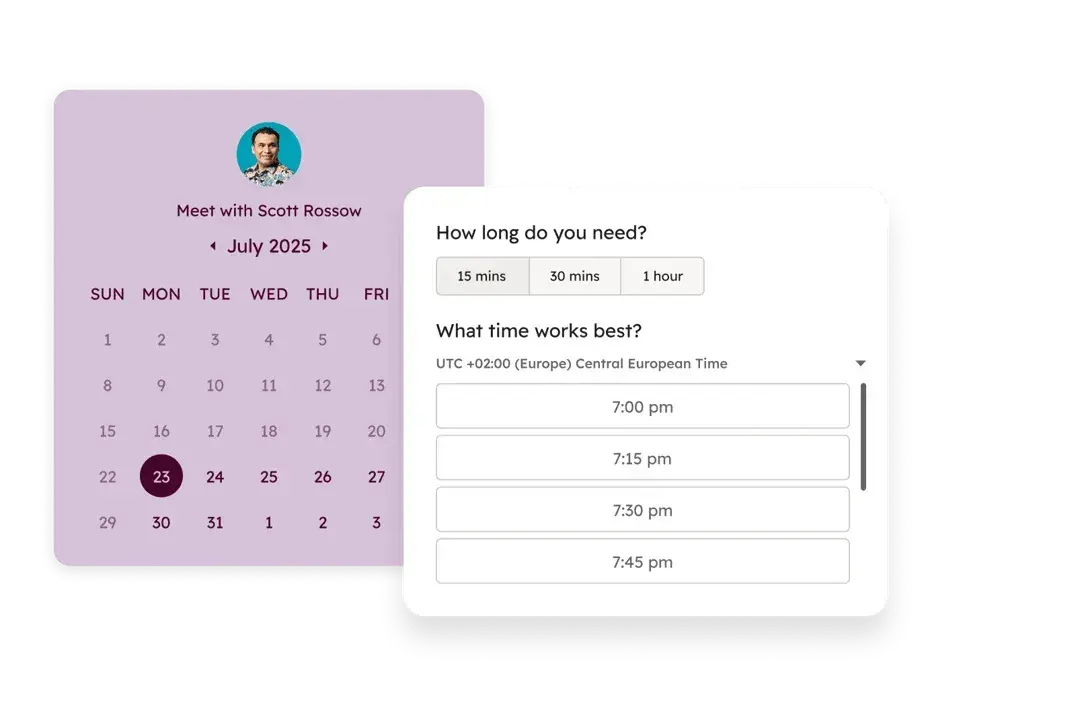
A strong meeting scheduler tool helps B2B sales teams in the following ways:
- Automating scheduling and logistics. The tool syncs availability, time zones, and booking rules automatically, so prospects can book meetings when a rep is available. Once a prospect books a meeting, the tool handles confirmations, calendar invites, and updates, so reps spend less time coordinating and more time selling.
- Improving lead qualification and management. Instead of treating every booking the same, the scheduler can route meetings based on lead quality, deal size, or lifecycle stage. This ensures high-intent prospects reach the right rep, while lower-quality leads follow a different path without clogging sales calendars.
- Driving higher meeting attendance and follow-ups. Automated reminders and confirmations reduce no-shows, which directly impact pipeline efficiency. After the meeting, the tool can automatically trigger follow-ups or log activity, helping teams maintain momentum without having to do everything manually.
- Supporting faster, cleaner sales handoffs. The tool connects meetings directly to CRM records, which keeps handoffs between marketing, SDRs, and account executives consistent. Reps also see the meeting’s context ahead of time, so they join calls prepared instead of searching for details while already talking to prospects.
- Creating visibility for sales managers and operations teams. Scheduling data shows who books meetings, which sources convert, and where drop-offs happen. This insight helps leaders optimize routing rules, capacity planning, and overall performance across the revenue team.
What features make a meeting scheduling tool a good fit for B2B sales teams?
Not every scheduling tool works well for B2B sales. The best meeting scheduling tools for B2B sales teams support complex workflows, shared ownership of leads, and the need to move fast without breaking internal processes.
Below are the features that separate a basic calendar link from a great B2B sales meeting scheduling tool.
1. Multi-Calendar Syncing
Multi-calendar syncing combines all the calendars a rep uses into one source of availability, then updates that availability in real time as meetings, blocks, or recurring commitments change.
For example, if a rep uses Google Calendar for internal meetings and customer calls, blocks “deal desk” time on a shared team calendar, and manages personal commitments on a separate calendar, a good meeting scheduling tool only shows dates and times that work across all three calendars.
This removes unnecessary back-and-forth, prevents last-minute apologies, and keeps meetings from stalling the sales process before it even starts.
2. Automatic Time Zone Detection
Automatic time zone detection identifies a prospect’s location and displays available meeting times in their local time, so they can book without doing any manual time conversion. For example, a rep in New York can share a booking link with a prospect in Berlin, and the prospect sees options in Central European Time, not Eastern Time.
This prevents confusion, missed meetings, and awkward follow-ups to reschedule calls booked at the wrong time. Over time, this improves show rates and creates a smoother buying experience, especially for global or distributed sales teams.
3. Buffer Time Rules
Buffer time rules add intentional gaps before or after meetings to give reps space between calls. Once a meeting is booked, the scheduler automatically blocks off that buffer so no one can schedule over it.
For instance, a sales rep might need ten minutes after a discovery call to write notes, update the CRM, or prepare for the next conversation. Buffer rules enforce that time across every booking, which prevents calls from clashing and helps reps stay focused and prepared throughout the day.
4. Round-Robin Scheduling
Round-robin scheduling automatically distributes meetings across a group of reps based on availability and predefined rules. Instead of prospects choosing a specific rep, the tool assigns each new meeting to the next eligible person, keeping workloads balanced across the team.
For example, if five SDRs handle inbound demo requests, round-robin scheduling ensures each rep receives a fair share of meetings rather than one or two reps getting overloaded. This helps teams respond faster, protect rep capacity, and avoid situations where good leads sit untouched simply because scheduling wasn’t evenly managed.
5. Automated Reminders and Follow-ups
Scheduling tools with this feature automatically send timely messages to prospects before and after meetings without relying on reps to trigger it. These messages can go out by email or SMS and typically include meeting confirmations, pre-meeting reminders, and follow-ups if a meeting is missed or completed.
For example, once a prospect books a product demo, the tool can send a confirmation email immediately, a reminder the day before, and another shortly before the meeting with the call link. If the prospect doesn’t show up, the system can follow up automatically with a rescheduling option.
This reduces no-shows, keeps conversations moving, and helps sales teams recover meetings that would otherwise fall through the cracks.
6. Intelligent Lead Routing and Qualification
Instead of sending every booking to the same queue, a scheduling tool with intelligent lead routing and qualification assigns meetings based on who the prospect is and how valuable the opportunity looks. It uses rules based on company size, location, product interest, or intent signals to determine who should attend the meeting.
For example, if a prospect from a 500-employee company books a demo, the tool can route that meeting to a mid-market or enterprise rep, while smaller companies are routed to an SMB team or go on a qualification call first.
This protects senior reps’ time, speeds up response for high-value leads, and ensures prospects speak with the right person from the start.
7. Bi-directional CRM Integration
Bi-directional CRM integration connects the meeting scheduler directly to the team’s CRM so meeting activity and deal data stay aligned automatically. When a prospect books, reschedules, or cancels a meeting, the CRM updates right away, without reps logging anything by hand.
If a lead’s status changes after qualification or enrichment, the scheduling workflow updates as well. For example, a prospect might book an initial call with an SDR, then get assigned to an account executive based on deal size, and the next meeting is scheduled and logged under the correct deal automatically.
This keeps ownership clear, handoffs clean, and reporting accurate without follow-up work from sales or RevOps teams.
Sales hub & CRM native integration
8. Analytics and Performance Tracking
A good scheduling tool for B2B sales teams typically tracks metrics like booking volume, show rates, no-shows, response times, and meeting outcomes across reps, teams, and lead sources. This data gives sales leaders visibility into how meetings turn into pipeline and helps teams spot patterns that aren’t obvious day to day.
For instance, a manager might notice strong booking rates from a campaign but low attendance, or see that certain reps carry heavier meeting loads than others. With that insight, teams can adjust routing rules, reminders, or capacity before scheduling issues begin to affect revenue.
Read: How to find a meeting time that works for everyone [+ tools]
Best Meeting Scheduling Tools for B2B Sales Teams
There are dozens of meeting scheduling tools on the market, many of them offering similar promises. But not all of them work equally well for B2B sales teams. The tools below stand out because they don’t just schedule meetings smoothly; they also support the realities of B2B sales workflows.
1. HubSpot Meeting Scheduler
Best for: B2B sales teams already using HubSpot CRM and looking to keep scheduling, sales activity, and customer data in one place.
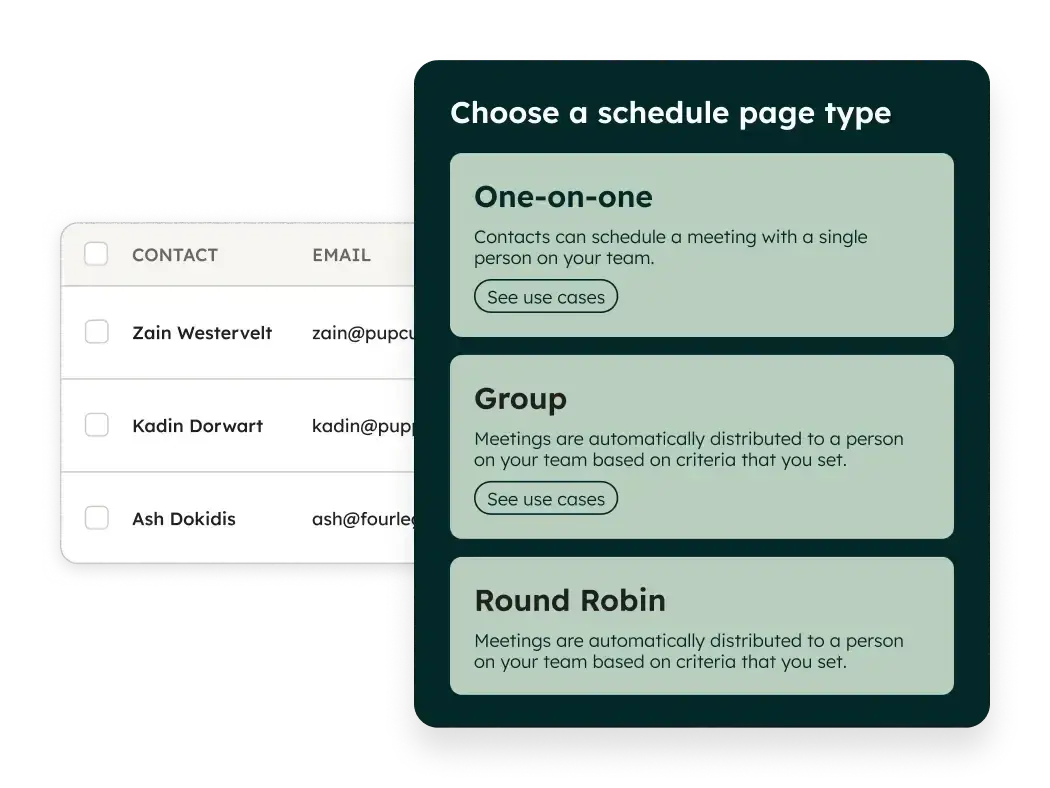
HubSpot Meeting Scheduler is a scheduling tool within Sales Hub that automates appointment booking and eliminates the manual back-and-forth of email coordination. Since this tool is built into the HubSpot ecosystem and connected to the Smart CRM, it’s a natural fit for teams already running their sales process on the platform.
Instead of connecting a separate scheduling tool to their CRM, reps can share a meeting link in an outreach email, and once a prospect books a time, HubSpot automatically logs the meeting and sends the appropriate follow-up emails. This helps deals move forward without reps having to juggle scheduling and admin work simultaneously.
HubSpot also connects the sales team with other customer-facing teams, like marketing, content, and customer support, through its broader ecosystem. When meetings live in the same system as marketing campaigns and support tickets, handoffs feel natural instead of forced, and every team works from the same source of truth.
Key Features:
- Built-in AI for meeting prep and follow-ups. HubSpot AI supports meeting prep, generates follow-up emails after calls, and logs notes and activities directly to the CRM, so reps don’t have to manually update records after every meeting.
- Embeddable calendar widget. Teams can embed booking calendars directly on landing pages or website forms, turning inbound traffic into scheduled meetings without manual intervention.
- Automatic time zone detection. Prospects see available meeting times in their local time, which reduces confusion and lowers the risk of missed meetings, especially for global sales teams.
- Third-party calendar integrations. The scheduler syncs with Google Workspace, Outlook, and Office 365 for Windows, keeping availability accurate across tools reps already use.
- Automated sequences triggered by bookings. Once a meeting is scheduled, HubSpot can automatically send confirmation emails, reminders, or follow-ups as part of a sales sequence.
- Round-robin and multi-participant scheduling. The tool supports round-robin scheduling across teams and makes it easy to book meetings that include multiple internal participants, such as account executives, sales engineers, or customer success managers.
- Direct sharing links. Meeting links can be shared quickly via email or messaging, which helps reps respond faster to interested prospects.
Pricing: HubSpot Meeting Scheduler is a free tool in HubSpot’s Sales Hub. The Sales Hub starts at $19/month per seat.
What I like: I like that HubSpot Meeting Scheduler isn’t a tool bolted onto the sales process. Everything happens on the same platform, including scheduling meetings, logging activity, and running email sequences, which makes work feel cleaner and more connected. It’s especially valuable that marketing, sales, and support teams all see the same records, because handoffs stop being a guessing game and start feeling intentional.
Customer Review
“HubSpot Sales Hub is effective because it brings together everything a salesperson requires in a single platform. It allows you to view leads, send emails, schedule meetings, track deals, and manage follow-ups without the need for multiple tools. The interface is very user-friendly, and it saves time by automating routine tasks. This helps sales teams stay organized and ensures they don’t miss opportunities to close deals.” – Sadhwi P.
2. Chili Piper
Best for: B2B sales teams that need advanced inbound lead routing and instant meeting booking at scale.
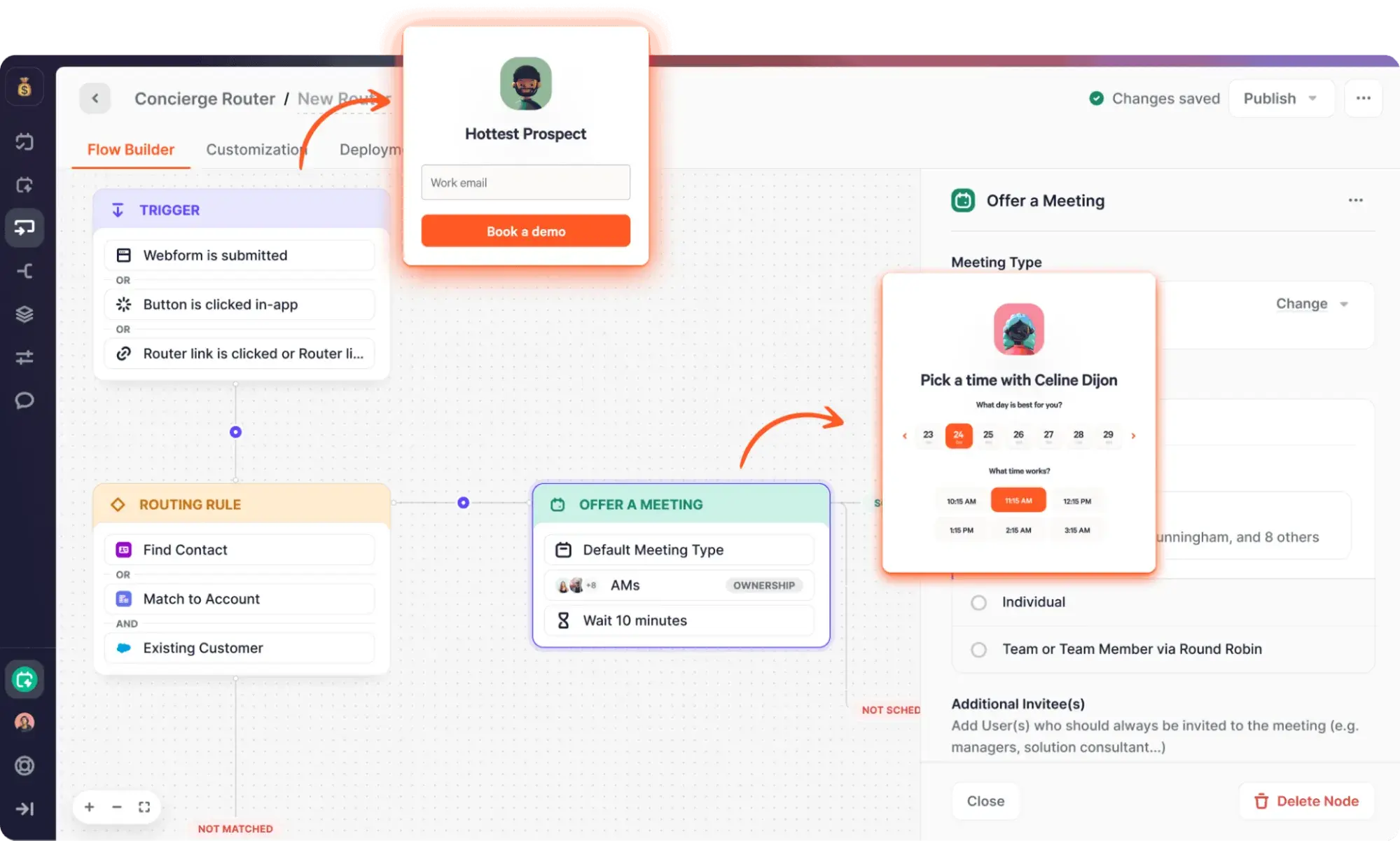
Chili Piper is a meeting scheduling and lead routing platform that helps high-velocity B2B sales teams, especially those handling large volumes of inbound leads, connect prospects to the right reps as soon as interest is expressed.
When a prospect submits a form or clicks a booking link, Chili Piper instantly schedules a meeting with an eligible rep based on territory, account ownership, deal size, or custom routing rules. This reduces response times, prevents lead leakage, and helps sales teams capture demand while intent is still high.
Key Features:
- Advanced lead routing and qualification.
- Instant booking from inbound forms.
- Round-robin and priority-based assignment.
- CRM-native workflows and data sync.
- Calendar and video conferencing integrations.
Pricing: Chili Piper doesn’t offer a free plan or free trial. Paid plans start at $15/user per month for creating scheduling links, while plans that support lead qualification, routing, and meeting scheduling start at $30/user per month (billed annually).
What I like: I like how Chili Piper treats meeting scheduling as a core part of revenue generation. It’s built for teams that care deeply about speed to lead and proper routing, and it shows in how tightly meetings connect to lead qualification and account ownership.
Customer Review
“Chili Piper really simplifies the whole meeting booking process, whether it’s for inbound leads or internal calls. We’ve used it at Voderia and Pacific Code, connected with our CRM and email tools, and it’s saved us tons of back-and-forth messages. The smart routing and calendar sync work great, helping us instantly connect prospects with the right person. It’s made a noticeable difference in our response time and conversion rates.” – Arnaud L.
3. Calendly
Best for: B2B sales teams that want a simple, reliable scheduling tool that works well across teams and tech stacks.
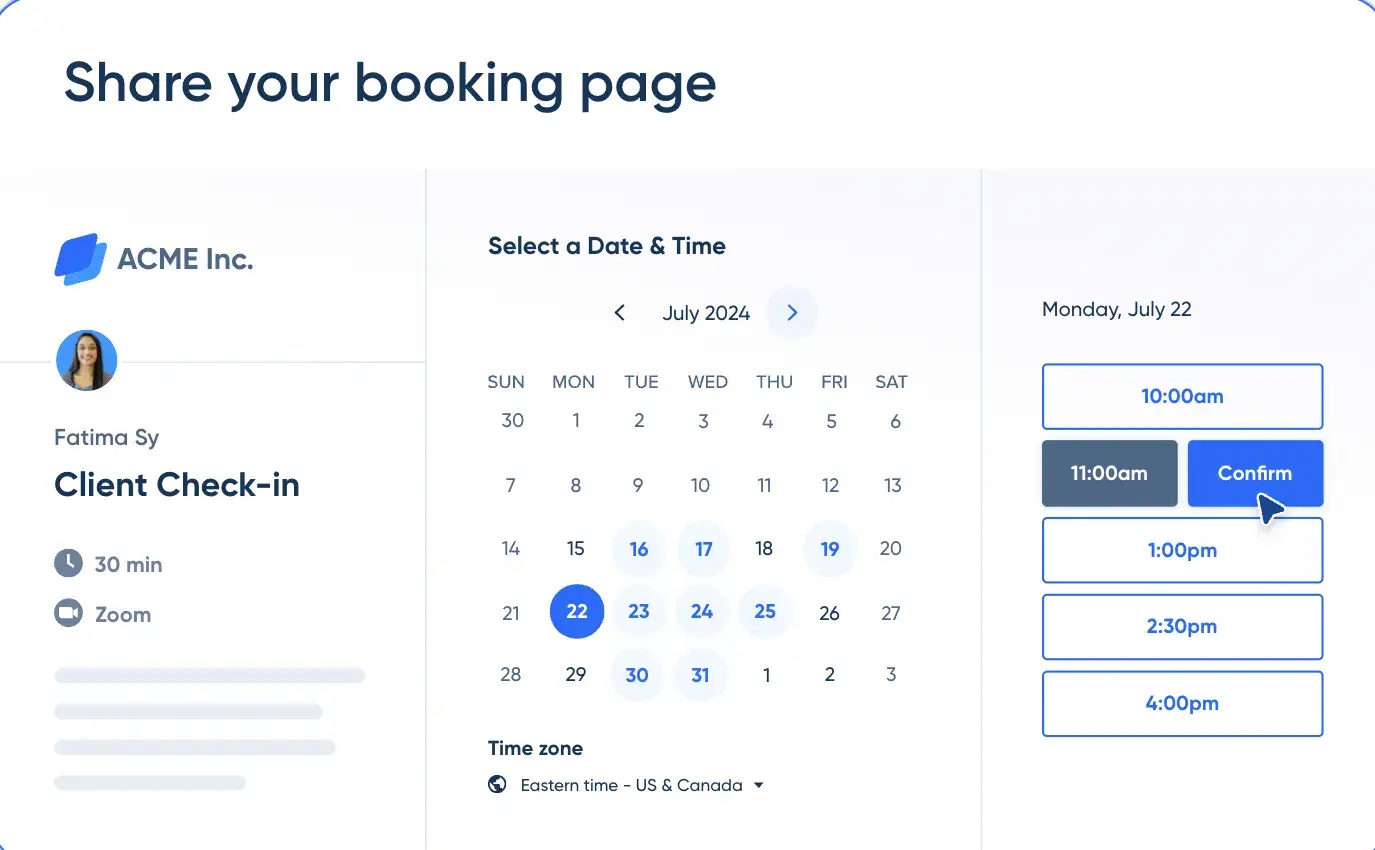
Calendly is a lightweight scheduling tool that helps teams share availability, book meetings, and reduce the back-and-forth that usually comes with coordinating calls. Reps can create scheduling links tied to their calendars, set basic rules around availability, and let prospects book meetings at convenient times in a single try.
Calendly fits into almost any workflow, including B2B sales workflows. It integrates easily with calendars, CRMs, and video conferencing tools, which makes it a practical choice for teams that don’t want to overhaul their entire sales stack just to improve scheduling.
While it doesn’t handle advanced routing as deeply as some inbound-focused tools, it covers the fundamentals well and scales cleanly as teams grow.
Key Features:
- Personal and team scheduling links.
- Round-robin scheduling for teams.
- Calendar and video conferencing integrations.
- Automated reminders and confirmations.
- Basic CRM integrations.
Pricing: Calendly has a free plan. Paid plans start at $10/seat per month (billed yearly).
What I like: I like that Calendly is easy to roll out and doesn’t require much setup or ongoing maintenance. It works well across teams and tools, making it a solid option for organizations that value flexibility. For teams that want dependable scheduling without much complexity, it does the job well.
Customer Review
“What I appreciate most about Calendly is how it removes the hassle of back-and-forth emails by streamlining the scheduling process and making it automatic. It integrates smoothly with my calendar, adheres to my availability preferences, and enables others to book meetings with just a few clicks. This not only saves time and minimizes unnecessary complications but also helps keep meetings well-organized and efficient, allowing me to concentrate on more meaningful tasks rather than getting bogged down by logistics.” – Elena C.
4. SavvyCal
Best for: B2B sales teams that want a flexible, prospect-friendly scheduling experience without adding operational complexity.
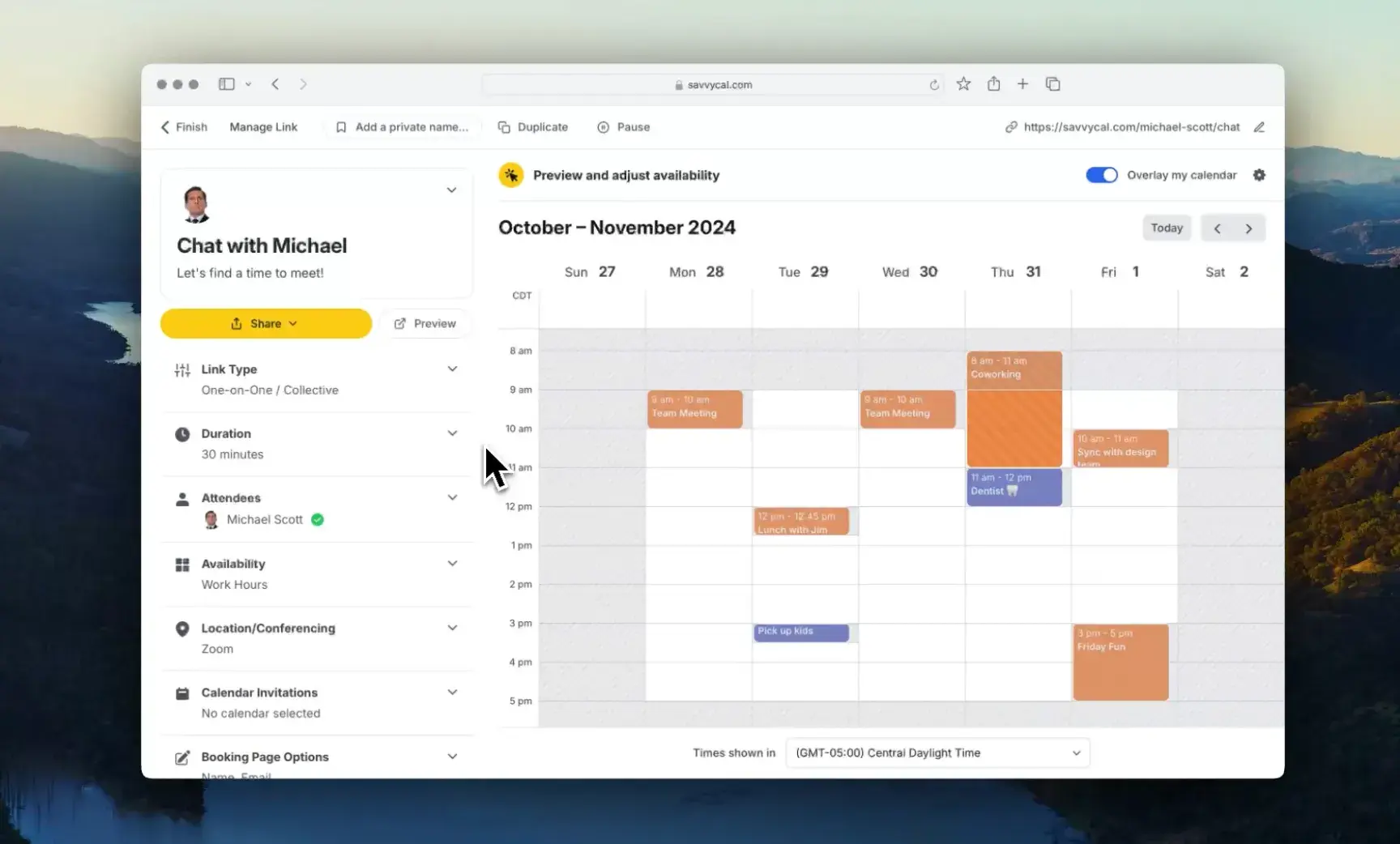
SavvyCal is a meeting scheduling tool that makes scheduling feel less transactional and more collaborative, especially in one-to-one or relationship-driven sales motions. Instead of forcing prospects to pick from a fixed list of time slots, SavvyCal lets both sides overlay availability and agree on a time that works, which feels more natural in longer or higher-stakes sales cycles.
While this tool doesn’t focus heavily on inbound routing or qualification, it shines in outbound, partner, or account-based sales workflows where experience and flexibility matter. Reps can share availability in a way that respects both calendars, avoids overbooking, and keeps meetings aligned with real schedules.
Key Features
- Availability overlay scheduling allows prospects to view their own calendar alongside a rep’s availability.
- Smart availability controls so reps can set working hours, daily meeting limits, and buffer times.
- Calendar integrations with Google Calendar, Outlook, and Office 365.
- Custom scheduling links.
- Automatic time zone handling.
Pricing: SavvyCal’s paid plans start at $12/user per month.
What I like: I like that SavvyCal doesn’t force scheduling into a rigid flow. The availability overlay feels thoughtful without slowing things down, which works well for sales conversations that aren’t purely transactional. It’s ideal for teams that want to respect prospects’ time while still keeping control of their calendars.
Customer Review
“I have been using SavvyCal daily, and the best part of it is that the user interface is very user-friendly and it can integrate with multiple calendars and display all events, including personal and professional meetings, so that we can prioritize the meetings and manage them in a very efficient way.” – Narendra S.
5. Default
Best for: B2B sales teams that want to automate inbound scheduling and lead routing without stitching together multiple tools.
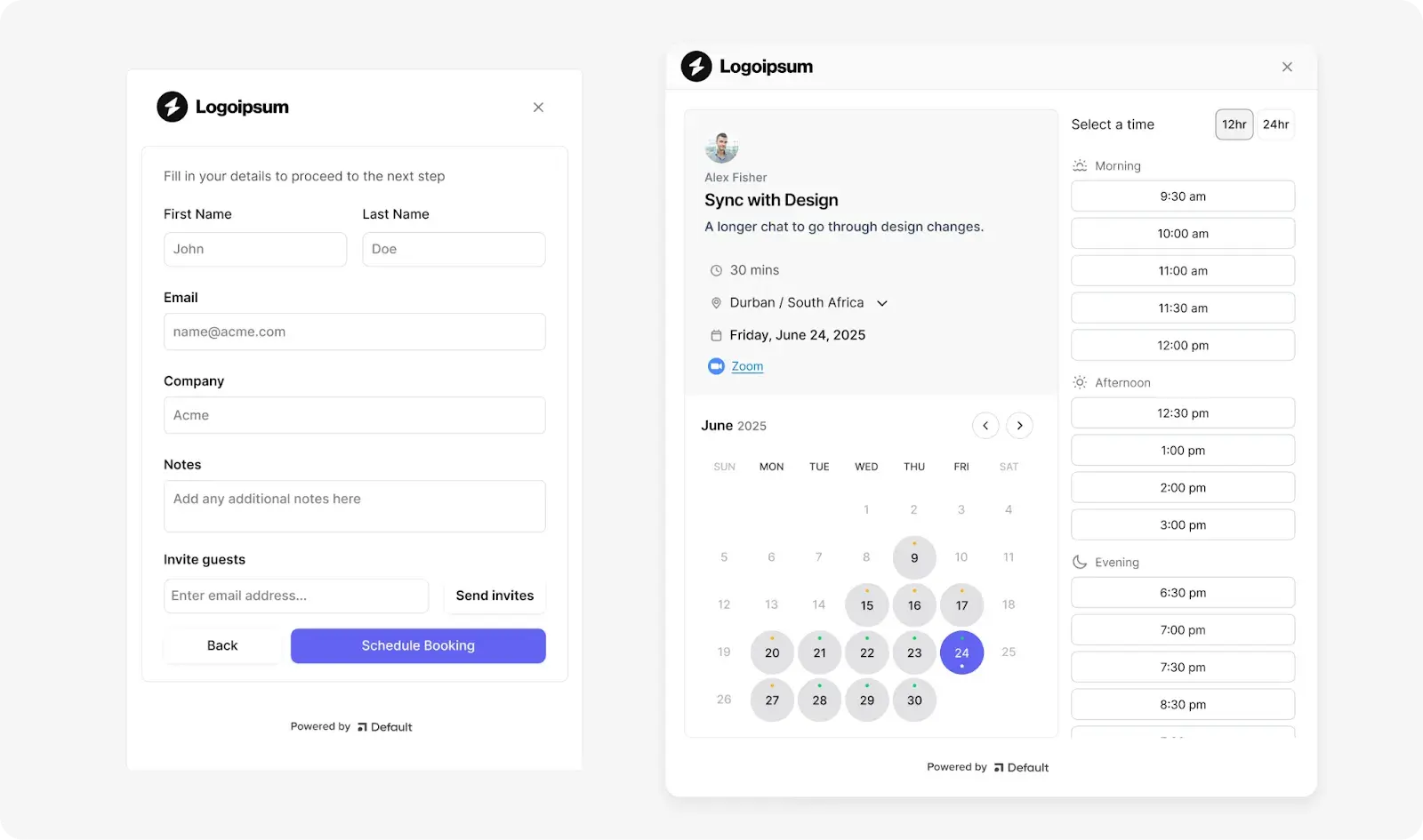
Default is a sales scheduling and workflow automation tool built to help B2B teams move prospects from interest to booked meetings with as little manual effort as possible. It combines meeting scheduling, lead routing, and sales automation into a single system, so teams don’t have to rely on separate tools to qualify leads, assign ownership, and book meetings.
For B2B sales teams handling inbound demand, Default works well as a control layer between forms, calendars, and CRMs. When a prospect submits a form or requests a meeting, Default applies routing rules, assigns the right rep, and schedules the meeting automatically.
This reduces response time, prevents leads from sitting idle, and helps teams scale inbound sales without adding operational overhead.
Key Features
- Automated inbound lead routing.
- Instant meeting scheduling from forms.
- Workflow automation for sales actions, such as CRM updates, Slack notifications, or follow-up emails when a meeting is booked, rescheduled, or missed.
- Calendar and CRM integrations.
- Team-based scheduling and ownership rules.
Pricing: Default’s paid plans start at $750/month (+ $45/month per user, billed annually).
What I like: I like that Default treats scheduling as part of a larger sales workflow, not a standalone step. Everything around routing, ownership, and follow-up happens automatically once a prospect raises their hand, which makes the process feel fast and intentional. For inbound-heavy B2B teams, it reduces handoffs and keeps leads moving without constant monitoring.
Customer Review
“Easy to use workflow builder, easy incorporation of AI tools, and a central lead routing system that can connect with just about everything else you’ll be using for GTM workflows. It takes a lot of the clunkiness of Clay workflows and makes them faster and easier to update. Customer support has also been great.” – Joshua N.
6. Cal.com
Best for: B2B sales teams that want full control over scheduling workflows, customization, and data ownership.
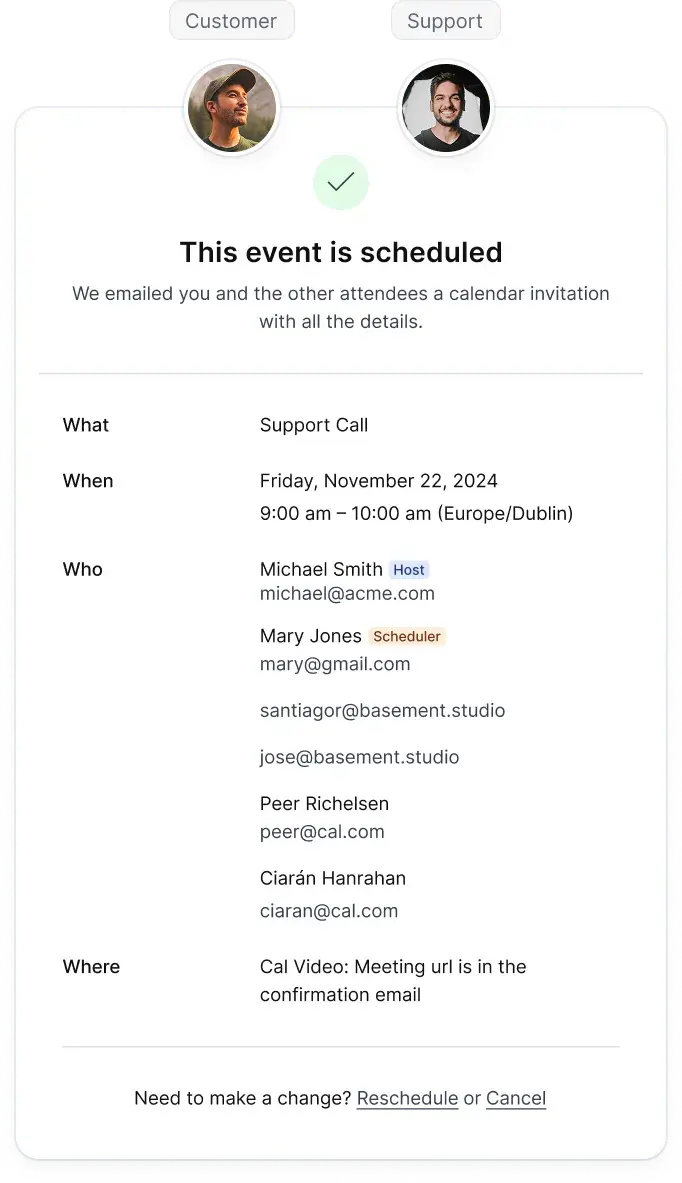
Cal.com is an open-source meeting scheduling platform that allows sales teams to customize how meetings are booked, routed, and managed, whether that means self-hosting the tool, adapting it to internal workflows, or integrating it deeply with existing systems.
With this platform, B2B sales teams can tailor booking logic, embed scheduling into custom apps or portals, and align scheduling with internal rules around ownership, regions, or deal types. This makes Cal.com a good fit for teams that want to extend or adapt scheduling logic instead of working around fixed product constraints.
Key Features:
- Open-source and self-hosting options.
- Highly customizable booking workflows.
- Calendar and conferencing integrations with Google Calendar, Outlook, Office 365, and common video tools.
- Embeddable scheduling components for websites, product experiences, or internal tools.
- Team and round-robin scheduling.
Pricing: Cal.com offers a free plan for individuals. It also offers a 14-day free trial for paid plans. The paid plans start at $15/user per month.
What I like: I like that Cal.com doesn’t lock teams into a rigid scheduling model. The open-source approach gives sales and operations teams room to build scheduling around how they already work, especially when off-the-shelf tools feel limiting. For teams that value flexibility and control, it offers a level of freedom most scheduling tools don’t.
Customer Review
“I really like the high level of customization that Cal.com offers. It lets us tailor almost every part of the scheduling experience, including booking pages, routing forms, and automation, which is great because this flexibility makes it easy to match our internal processes without forcing us into a rigid system…” – Vandg C.
Security Requirements for B2B Meeting Scheduling Tools
Meeting scheduling tools need to integrate with CRMs, calendars, and sensitive customer data to work effectively. For B2B sales teams, especially those selling into regulated or enterprise environments, the scheduler must meet the same security standards as the rest of the revenue stack.
Below are the core security requirements that matter most for B2B meeting scheduling tools, and why they’re critical.
- Single Sign-On (SSO) and SCIM Provisioning
SSO allows employees to access the scheduling tool using the company’s identity provider, while SCIM automates user provisioning and deprovisioning. This ensures that only active employees have access to scheduling data and booking controls.
In a sales context, this reduces the risk of former reps retaining access to calendars, contact records, or meeting links after leaving the company.
- Role-based Access Controls
Role-based access controls define what different users can see and change inside the scheduling tool. Sales reps might only need to manage their own availability and links, while managers and RevOps teams control routing rules, reporting, and system settings.
Clear permission boundaries reduce the risk of accidental changes and help teams limit access to sensitive scheduling data.
Audit logs track actions taken within the scheduling tool, such as changes to routing rules, calendar connections, or user permissions. This helps B2B sales teams diagnose issues like misrouted meetings or sudden drops in bookings.
Audit logs also support compliance reviews and internal investigations when something goes wrong.
- Data Processing Agreements (DPAs)
A DPA defines how the scheduling tool processes, stores, and protects customer data. Since scheduling tools handle contact details, meeting metadata, and sometimes call links, teams need clear contractual assurances about data handling.
DPAs are especially important when selling to customers with GDPR or similar regulatory requirements.
Data residency controls where customer and meeting data is stored geographically. Some B2B buyers require data to stay within specific regions due to legal or compliance obligations.
A scheduling tool that supports various residency options makes it easier for sales teams to meet enterprise procurement requirements without exception.
- Encryption at Rest and in Transit
Encryption protects scheduling data while it’s stored and while it moves between systems like CRMs, calendars, and email tools. This reduces the risk of sensitive meeting information being exposed through breaches or interception. For sales teams, it protects prospect trust and internal data at the same time.
- Security Attestations and Certifications
Attestations such as SOC 2 or ISO certifications show that the vendor follows established security practices. These certifications often come up during security reviews in enterprise sales cycles. Having them in place shortens deal timelines and reduces friction with security and legal teams.
Admin controls allow teams to enforce policies such as mandatory SSO, restricted sharing of meeting links, or limits on integrations. This gives RevOps and IT teams control over how scheduling is used across the organization.
Strong admin controls help prevent misuse while still letting sales teams work efficiently.
How HubSpot Smart CRM Handles Permissions and Governance
HubSpot’s Smart CRM uses a role- and permission-based model that lets teams control access at a very granular level without making the system hard to manage. Admins can define who can view, edit, or delete contacts, companies, deals, meetings, and reports, and apply those rules consistently across sales, marketing, and service teams.
For meeting scheduling specifically, this means reps can manage their own calendars and booking links, while RevOps or admins control shared assets like team meeting links, routing logic, and automation rules. Permissions also extend to workflows, sequences, and integrations, so sensitive changes stay limited to the right roles.
Because everything lives in the same platform, governance stays consistent as teams scale. Sales, marketing, and support teams all work from the same records, with clear ownership and auditability, which reduces risk and keeps handoffs clean without slowing teams down.
Learn more about HubSpot’s security.
How to Choose the Best Meeting Scheduler for Your B2B Motion
The best meeting scheduling tools for B2B sales teams are those that align with how deals actually move through the organization. So, when evaluating a scheduling tool, look beyond the number of features and, instead, consider how the sales motion, team structure, and handoffs the tool needs to support.
Here are the key criteria business leaders should use when choosing the best meeting scheduler for B2B sales.
1. Demo-led or Inbound-heavy Sales Motions
Teams running demo-led or inbound sales motions should prioritize speed and routing accuracy. When a prospect requests a demo, the scheduler should qualify the lead, route it to the right rep, and book the meeting immediately, without relying on manual assignment or follow-up emails.
For example, if inbound demos come from multiple regions or segments, the scheduler should use firmographic data to route enterprise leads to senior reps while smaller accounts go to SMB teams. This keeps qualified leads from sitting unassigned and connects prospects to the right rep at the moment they’re ready to engage.
2. Account-based or Outbound Sales Motions
Account-based and outbound motions require more control over who can book time and how meetings are scheduled. Scheduling tools should support custom links, limited availability, and meeting flows that align with deliberate sales outreach rather than open inbound booking.
For instance, an account executive running an ABM campaign may want to share a private scheduling link with a short list of target accounts, limit availability to specific days, and keep meetings tied directly to existing account records. This helps teams stay intentional about access, timing, and ownership throughout longer sales cycles.
3. Team Handoffs and Multi-Role Workflows
B2B sales deals are rarely handled by one rep from start to finish. It’s usually a collaborative process, and it’s not uncommon for an SDR to book an initial discovery call, followed by a demo with an account executive and a technical deep dive with a solutions consultant.
Because of this, the scheduling tool should support clean handoffs as deals progress. It should log each meeting correctly, automatically update ownership, and ensure each step routes to the right person without manual coordination.
4. Multi-Region and Global Sales Teams
For teams selling across regions, time zones, and languages, the scheduling tool needs to have features such as automatic time zone detection, regional routing, and localized availability rules to be a good fit.
For example, a prospect in Europe booking time with a North America–based rep should be able to see accurate local times, which prevents them from booking outside working hours. Without this, global teams often miss meetings, reschedule, and experience unnecessary friction early in the buyer’s journey.
5. Team Size, Scale, and Operational Maturity
Sales teams should choose a meeting scheduling tool that can grow with them. A five-person team might only need basic scheduling links and calendar syncing at first, which should be easy to set up in the tool.
As the team scales, the same tool should support upgrades to more advanced features like role-based permissions, audit logs, reporting, and admin controls. This reduces the need to switch platforms later, minimizes operational disruption, and allows teams to add structure as headcount grows and sales processes become more complex.
Frequently Asked Questions About B2B Meeting Schedulers
1. Do we need separate tools for round-robin and individual rep links?
No, most modern B2B sales meeting scheduling tools support both within the same platform. Teams can create individual booking links for specific reps while also setting up round-robin links for inbound demos or shared queues.
Using a single tool for both link types prevents fragmented data, keeps routing rules consistent, and makes reporting on meetings and performance much easier.
2. Can meetings be routed by the account owner for ABM and existing customers?
Yes, many advanced scheduling tools support routing based on account ownership stored in the CRM. When a prospect books a meeting, the scheduler checks the account owner and assigns the meeting accordingly.
This is especially useful for ABM and customer expansions, where continuity matters, and prospects need to always meet with their assigned rep or account team.
3. How should global time zones and daylight savings be handled?
The best meeting scheduling tools for B2B sales teams automatically detect time zones and adjust availability in real time. This includes handling daylight savings changes without manual updates.
Teams should avoid tools that rely on static time settings, as those often lead to missed meetings, reschedules, and confusion when selling across regions or managing distributed sales teams.
4. How do teams migrate from lightweight tools like Calendly to more advanced schedulers?
Migration usually starts by mapping existing booking links to new meeting types and routing rules. Teams then connect calendars and CRMs to the new tool, recreate key links, and gradually replace old links in emails, sequences, and websites.
Many teams run both tools briefly, then fully switch once reporting, routing, and workflows are validated in the new scheduler.
5. Do meeting scheduling tools replace CRM workflows or just support them?
Meeting scheduling tools support CRM workflows rather than replace them. They handle booking, routing, and availability, while the CRM remains the system of record for contacts, deals, and reporting.
The strongest setups tightly integrate both, so meetings trigger CRM updates, workflows, and follow-ups without requiring reps to manage scheduling by hand.
6. What should sales teams prioritize when buying for scale versus early-stage growth?
Early-stage teams often prioritize ease of setup and basic scheduling links, while scaling teams need routing logic, permissions, analytics, and governance. Choosing a tool that meets current needs but can grow with the team helps prevent re-platforming later.
For B2B sales teams planning to scale, admin controls and CRM integration become critical much sooner than expected.
Finding the Right B2B Meeting Scheduling Tool
Generic meeting schedulers often fall short as B2B sales teams grow. They struggle with routing, handoffs, governance, and visibility, which leads to missed meetings, slower follow-ups, and unclear ownership across the funnel.
To help teams choose better, this guide highlights six of the best meeting scheduling tools for B2B sales teams, along with the use cases each one supports. However, HubSpot’s Meeting Scheduler stands out because it isn’t a separate tool to integrate with the sales stack.
Instead, it’s deeply embedded in the HubSpot ecosystem, which includes a Smart CRM that serves as a single source of truth for prospect and deal data, as well as dedicated Hubs for marketing, sales, and customer support teams.
Because the platform is AI-driven, meetings automatically log to the CRM, reps get help with prep and follow-ups, and activity data feeds into future sales plays and marketing campaigns without manual effort.
For teams that want a single platform to manage scheduling, selling, follow-ups, and collaboration across customer-facing teams, HubSpot Sales Hub is the best bet. Sign up for HubSpot’s Sales Hub today and start using Meeting Scheduler for free.

 English (United States)
  Chinese